
Time Management
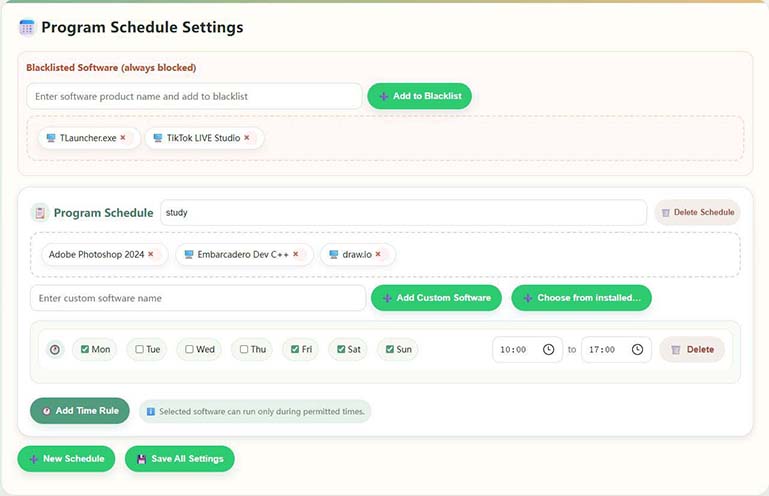
Powerful scheduling with multiple plans and multiple time slots per day for allowed computer use
给家里の幕多一点温柔边界
A computer usage management tool for families: Helps you and your children make appointments together and stay away from addictive games and bad websites; direct point-to-point connection between mobile phone and computer, less interruption and more peace of mind.
Positioning:Little Lamb Youth PC Control は、リモート リマインダーを使用して、親が未成年者のコンピューター使用時間、ゲーム、Web サイトを管理するのに役立つ家族向けツールです。
Platforms and access:Provides Windows control terminal and Android parent terminal; download and version instructions can be found on this website Download page, see graphic tutorial Guide。
什么软件可以防止儿童、小孩沉迷电脑游戏、上网?Little Lamb Youth Anti-Addiction PC Management可以轻松帮助家长管理小孩、青少年合理使用电脑,防止沉迷游戏或上网,软件一键式管理,AI识别游戏行for。
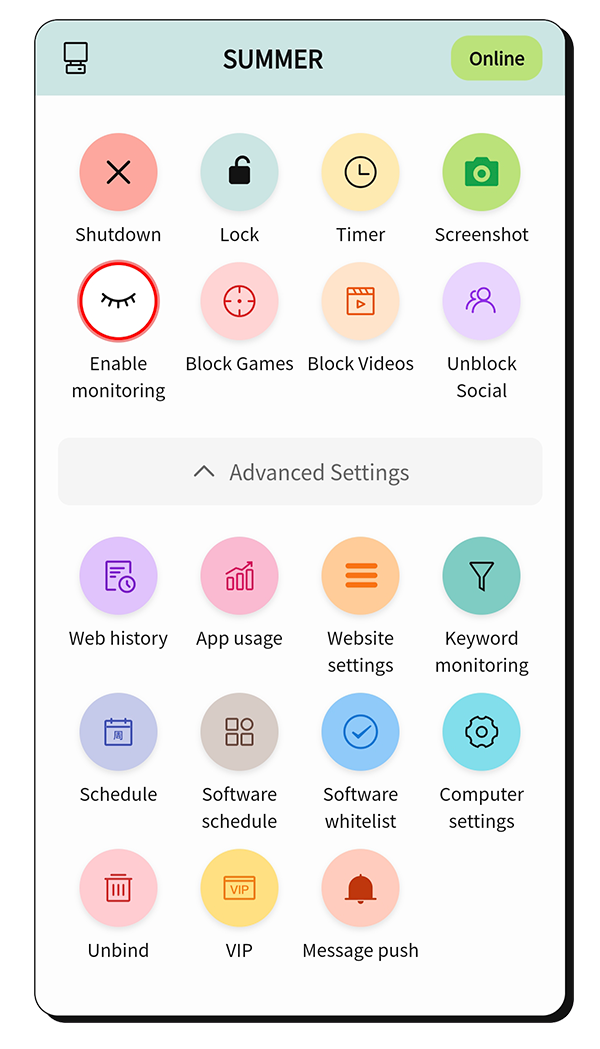
像家里多一位耐心の「時管家」
Powerful scheduling with multiple plans and multiple time slots per day for allowed computer use
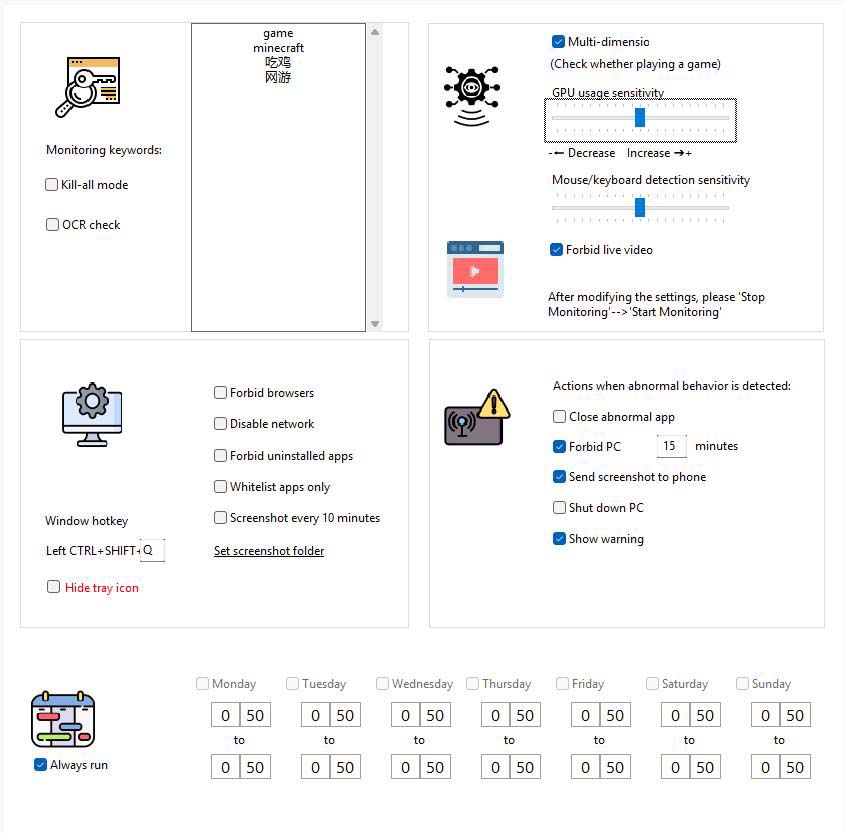
Identify games through keywords, hardware usage, and behavior analysis, then take timely control actions
The phone and PC connect peer-to-peer, so you can monitor PC usage anytime and take control actions.
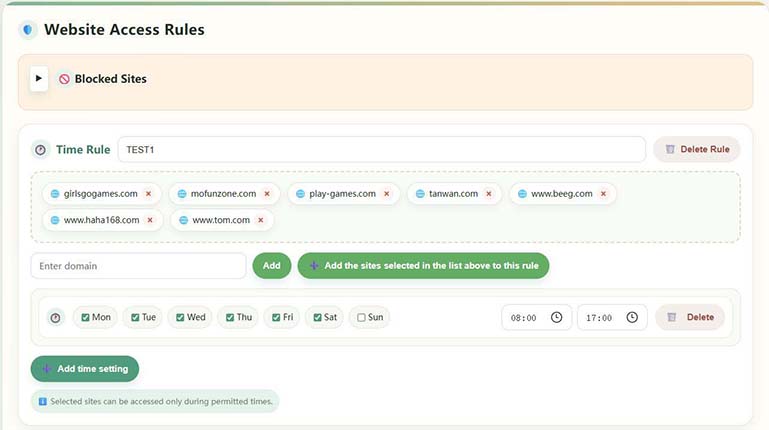
Domain management lets you allow sites only during permitted times or block specific sites directly
Generate detailed usage reports to understand habits and build a reasonable plan
PC and phone connect peer-to-peer. The server only helps match connections. Encrypted transmission protects all data and privacy.
複雑さを私たちに、シンプルさを日常に
Identify games and harmful content from multiple dimensions:
For more control methods and details, please install the software to experience it. You can choose a more moderate or strict strategy according to your family situation. Parents who are not familiar with computer operations are recommended to use mobile phones for management.
Flexible time control features:
より多くの機能を直接体験
Comprehensive web access control:
シンプルで透明: 6か月 88 元、1年 158 元,3年 258 元
$13.42 USD
Suitable for families who want to experience the effects first
$24.10 USD
A worry-free choice for most families
$39.36 USD
Long-term protection, more cost-effective unit price
デバイス内で会議が実行され、移動端末では「VIP 情報」が、子端末では「VIP 課金」が表示されます。
まずお子様の Windows パソコンに「お子様アプリ」をインストールし、次にご自身のデバイスに「保護者アプリ」をインストールします。完全な手順とマルチプラットフォームのダウンロードは、ダウンロード ページから入手できます。
ダウンロードとインストールの手順を見る実際の家族からのちょっとしたフィードバック
「このソフトは素晴らしいです!子供がゲームをすることが減り、勉強の効率が上がりました。スマホアプリがいつでも確認できるので便利です。」
"The time management feature is very practical — it precisely controls computer time. The web filtering is also powerful and keeps kids away from harmful sites."
「インターフェイスのデザインは親切で、操作は簡単です。プロセス制御機能により、外部から問題が発生した場合でも安心でき、ゲームをプレイするたびにすぐに通知が届きます。」
Some minor questions during installation and use