
Time Management
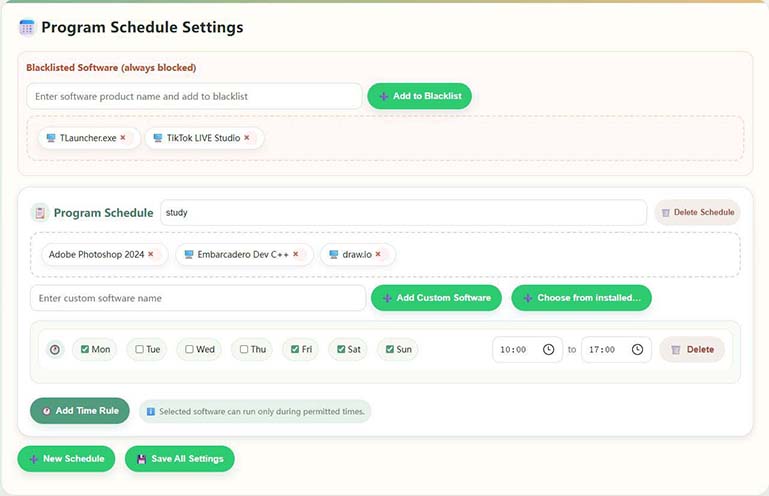
Powerful scheduling with multiple plans and multiple time slots per day for allowed computer use
Gentle boundaries for screens at home
A home-oriented computer usage management tool: Helps you and your children schedule time together, stay away from addictive games and bad websites; phone and computer point-to-point direct connection, less disturbance, more peace of mind.
Positioning: Little Lamb Youth PC Control is a family-oriented tool that helps parents manage minors’ computer time, games, and websites, with remote reminders.
Platforms & access: Provide Windows management terminal and Android parent terminal, etc.; see this site for downloads and version descriptions Downloads, for text and graphic tutorials, see Guide.
What software can prevent children from becoming addicted to computer games and the internet? Little Lamb Youth Anti-Addiction PC Management can easily help parents manage children and teenagers' reasonable use of computers, prevent gaming or internet addiction, with one-click management and AI game behavior recognition.
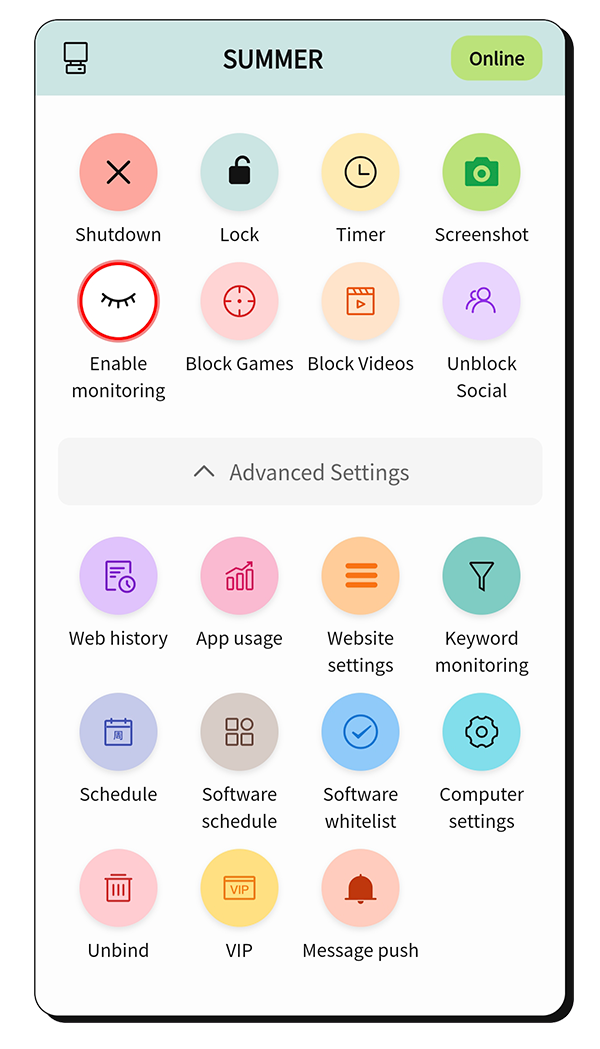
Like a patient “time steward” at home
Powerful scheduling with multiple plans and multiple time slots per day for allowed computer use
Identify games through keywords, hardware usage, and behavior analysis, then take timely control actions
The phone and PC connect peer-to-peer, so you can monitor PC usage anytime and take control actions.
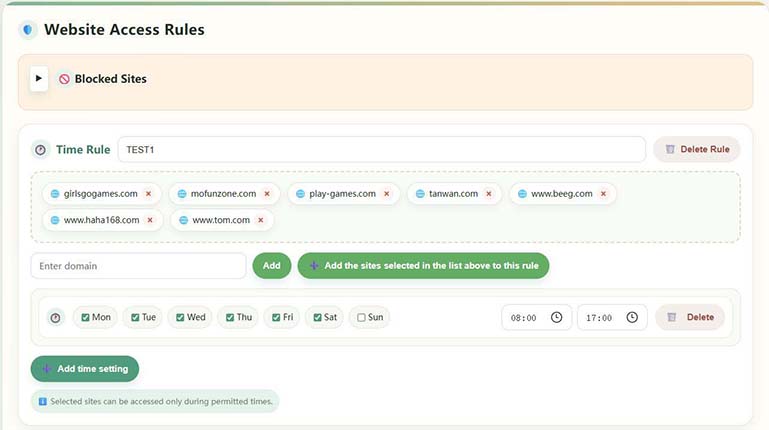
Domain management lets you allow sites only during permitted times or block specific sites directly
Generate detailed usage reports to understand habits and build a reasonable plan
PC and phone connect peer-to-peer. The server only helps match connections. Encrypted transmission protects all data and privacy.
Leave complexity to us and simplicity to the everyday
Identify games and harmful content from multiple dimensions:
More controls and details Please install the software experience, you can choose a gentler or more stringent strategy according to your family situation. For parents who are not familiar with computer operation, it is recommended to use the mobile terminal for management.
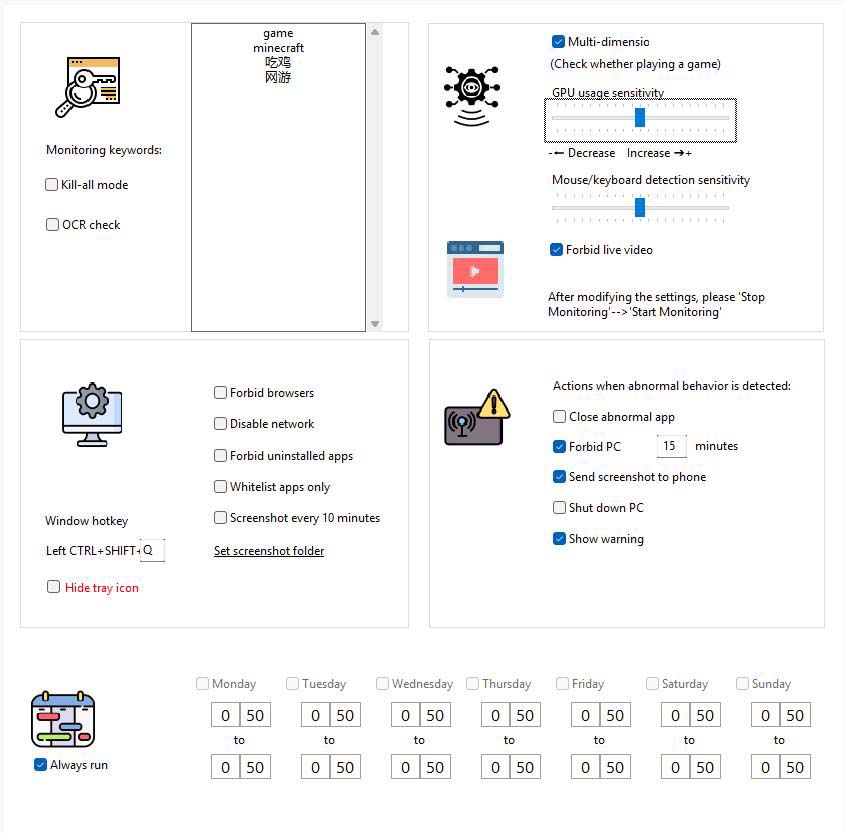
Flexible time control features:
Experience more features firsthand
Comprehensive web access control:
Simple and transparent: 6 months $13.42, 1 year $24.10, 3 years $39.36 (USD)
$13.42 USD
Suitable for families experiencing the effects firsthand
$24.10 USD
Worry-free options for most families
$39.36 USD
Long-term protection, more cost-effective unit price
Please make a membership purchase in the software, click "VIP Information" on the mobile terminal, and click "VIP Purchase" on the child's computer. If the price is adjusted, the purchase page will prevail.
Install the "child side" on your child's Windows computer, and then install the "parent side" on your own device. See the Downloads page for complete instructions and multi-platform downloads.
View download and installation instructionsA little feedback from a real family
"This software is great! My child plays games much less now, and studying efficiency has improved. The mobile app is convenient — I can check anytime."
"The time management feature is very practical — it precisely controls computer time. The web filtering is also powerful and keeps kids away from harmful sites."
"The interface is friendly and easy to use. Remote monitoring gives me peace of mind when I travel for work, and my kids get instant notifications when they play."
A few small questions during installation and use