讓孩子健康使用電腦
家長更放心

强大的儿童青少年電腦管理系統,提供反游戏、反沉迷功能,让家长随时了解孩子的电脑使用情况, 进行智能管控,营造健康的数字环境。

產品定位:小羊青少年防沉迷電腦管理系統是面向家庭场景的电脑使用管理工具,帮助家长对未成年人使用电脑进行Time、游戏与网站等方面的合理管控,并支援远程提醒。

平台与获取:提供 Windows 管控端与 Android 家长端等;下載与版本说明见本站 下載页,图文教程见 使用Guide

官方信息:网站 https://www.no-game.cn/;客服邮箱 service@beuwish.com

  • 多重識別精準管控
  • 家長手機即時提醒
  • 點對點直連更私密
Parents monitor kids’ computer use

核心功能亮點

全方位保護孩子健康使用電腦

時間管理

Powerful scheduling with multiple plans and multiple time slots per day for allowed computer use

遊戲管控

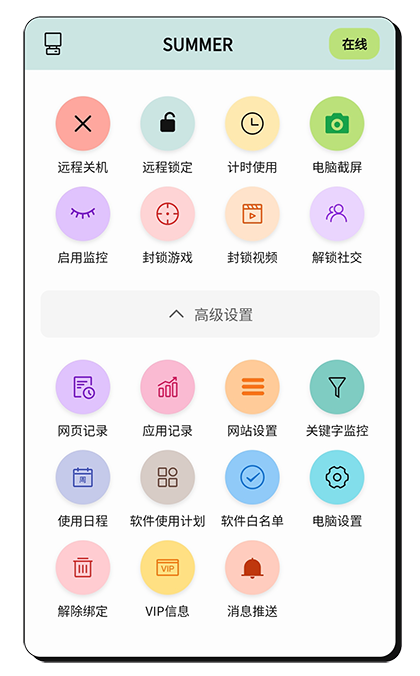
從關鍵字、電腦硬體使用、行為分析等多方位識別遊戲,及時進行管控

遠端監控

The phone and PC connect peer-to-peer, so you can monitor PC usage anytime and take control actions.

網站過濾

Domain management lets you allow sites only during permitted times or block specific sites directly

使用報告分析

Generate detailed usage reports to understand habits and build a reasonable plan

隱私安全保護

PC與手機點對點直連,伺服器僅撮合手機與PC連接,傳輸加密保護所有資料,確保家長and孩子隱私安全

詳細功能介紹

了解我們的強大功能

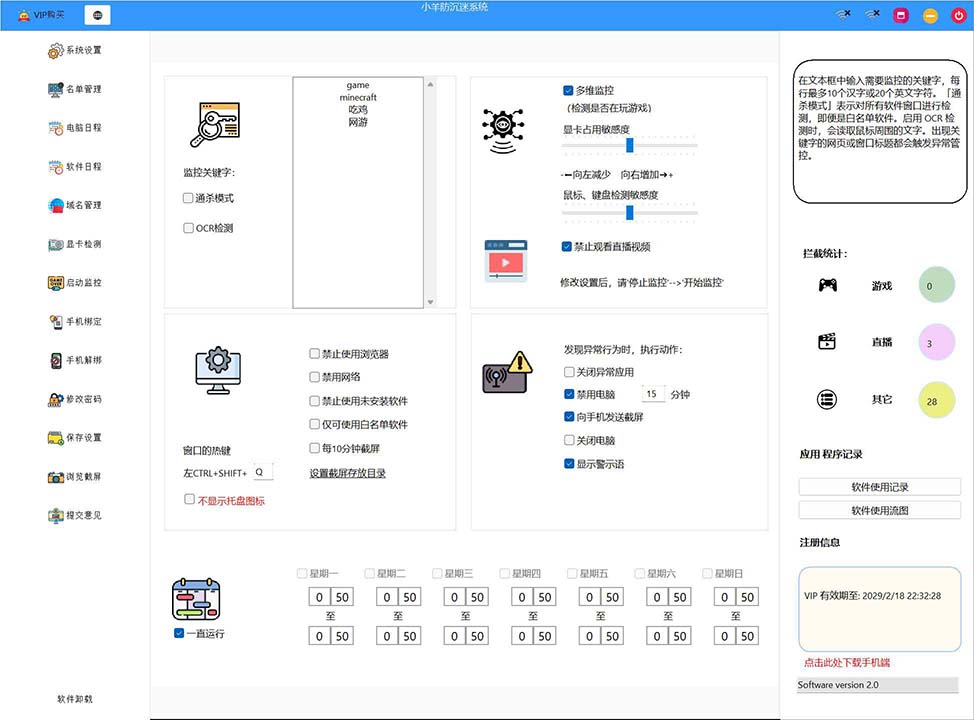
智慧識別與管控

從多個維度識別遊戲and不良資訊:

  • Keyword detection
  • 電腦硬體使用分析
  • Behavior pattern analysis
  • Real-time control actions

Supports multiple controls such as shutting down the PC, disabling the PC, closing apps, and sending warning alerts to your phone.

Smart detection screen

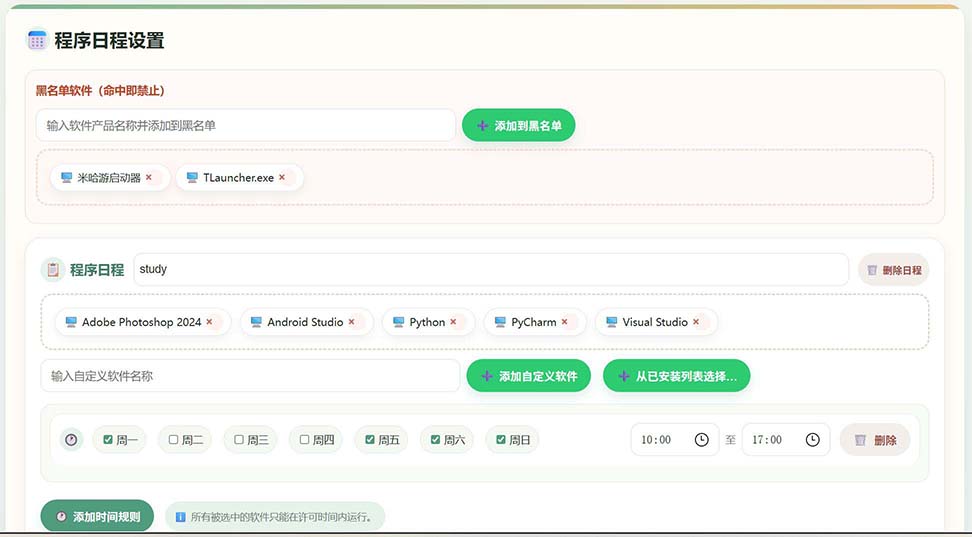
Powerful Time Management

Flexible time control features:

  • Multiple schedules
  • Multiple time slots per day
  • App schedule management
  • Precise time control

You can set when apps are allowed to run, precisely controlling each app’s usage time window.

Time management screen

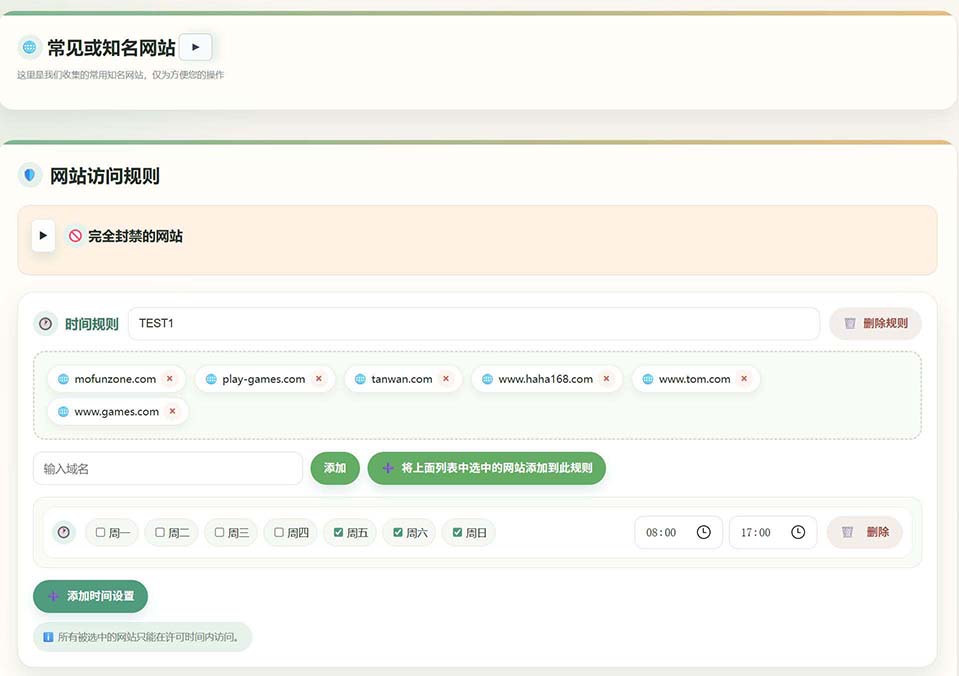
智慧網站過濾

Comprehensive web access control:

  • Domain whitelist
  • Blacklist blocking
  • Time-based access
  • Real-time monitoring logs

You can allow websites only during permitted times, or block specific websites directly.

Web filtering screen

立即下載體驗

支援 Windows、Android、iOS 全平台

PC管控端軟體

將此程式安裝在需要管控的電腦上,安裝成功後,您可以通雙擊WINDOWS工作列右邊的托盤圖示或熱鍵CTRL+SHIFT+Q鍵呼出管理介面進行管理配置。

遠端管理軟體

透過遠端電腦來管理被管理的兒童電腦。

Windows版 Android版 iOS版正在開發中,暫未有連結

安裝在手機上,方便您限時管理、查看兒童電腦。

使用者評價

聽聽其他家長怎麼說

"This software is great! My child plays games much less now, and studying efficiency has improved. The mobile app is convenient — I can check anytime."

Ms. Zhang
北京

"The time management feature is very practical — it precisely controls computer time. The web filtering is also powerful and keeps kids away from harmful sites."

李爸爸
Shanghai

"The interface is friendly and easy to use. Remote monitoring gives me peace of mind when I'm away — I get notified immediately when my child starts gaming."

Ms. Wang
Shenzhen

常見問題

解答您的疑問

安裝非常簡單,下載對應平台的軟體後按照安裝精靈即可完成安裝。詳細的使用教程請查看我們的使用Guide頁面。

Optimized to use minimal system resources and won’t affect normal performance.

We use peer-to-peer communication. No private data is relayed or stored by third parties. All data is encrypted in transit for privacy.